Introduction
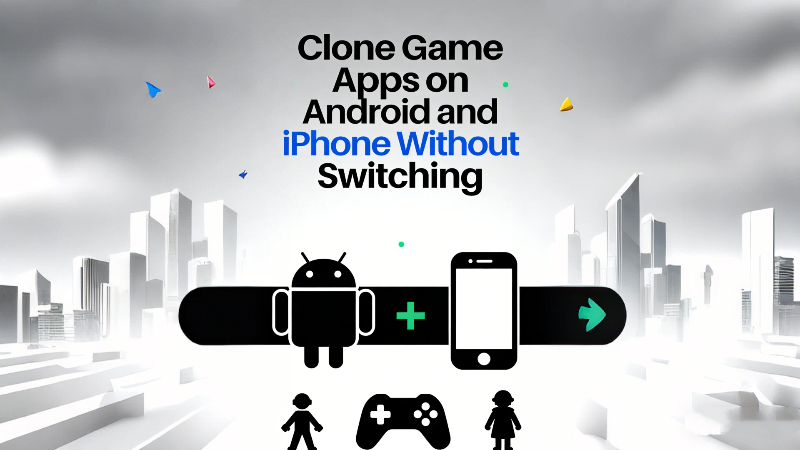
Mobile gaming used to be straightforward. You installed a game, logged in once, and that account stayed with you for months—sometimes years.
That simplicity has quietly disappeared.
Today, many players want to clone game apps so they can manage more than one account on the same device. Some do it to separate casual play from competitive sessions. Others maintain different characters, regions, or roles inside the same game. For a growing number of players, switching accounts is no longer an occasional task—it’s part of their daily routine.
The problem is that most games are still designed for one account per app. And that mismatch is where friction begins.
This article looks at why cloning game apps has become common, what “clone game” actually means in practice, and how app-based solutions like Parallel Space help players manage multiple accounts without turning gameplay into a constant login cycle.
The Real Reason Players Want to Clone Game Apps
The demand to clone games did not come from power users alone. It came from ordinary players whose gaming habits slowly changed.
Many people now use the same game for different purposes. One account might be for relaxed solo play after work. Another is reserved for ranked matches with friends. In some communities, players maintain separate accounts to join different guilds or play on multiple servers.
-
Gaming Habits Have Changed
What used to be a single, linear experience has become layered. Games are social platforms, competitive arenas, and long-term progression systems at the same time. As a result, one account often feels limiting.
Logging out and back in may sound like a small inconvenience, but over time it creates real problems:
-
Progress confusion between accounts
-
Missed messages or in-game events
-
Accidental actions taken on the wrong profile
Cloning a game app removes that friction by keeping each account active and ready.
-
When One Account Is No Longer Enough
At a certain point, players stop asking whether they should manage multiple accounts and start asking how. Carrying a second phone is rarely appealing, and reinstalling apps repeatedly breaks immersion.
That’s where the idea of cloning games starts to feel less like a trick and more like a practical solution.
What “Clone Game” Means on a Phone
The phrase “clone game” is often misunderstood, especially by players who worry about safety or fairness.
Cloning does not mean modifying the game or bypassing its systems. It simply creates a separate environment where the same app can run again, independently.
It’s About Session Separation, Not Game Modification
From the game’s perspective, a cloned app behaves like a normal installation. Each instance logs in separately and communicates with servers as usual. There is no shared progress and no automatic crossover.
What a Cloned Game Actually Separates
A proper clone keeps key elements isolated:
-
Login sessions, so accounts don’t overlap
-
Local data, such as settings and cache
-
Notifications, reducing cross-account confusion
This separation is what allows players to switch roles instantly without re-authenticating every time.
How Clone Games Works on Different Systems
While the need to clone games is universal, the way players do it depends heavily on their device.
-
Clone Game App on Android
Android is generally more open, but that openness comes with variation.
Some manufacturers offer built-in app duplication tools. These can work, but support depends on the phone model and Android version. Not every game is compatible, and customization is often limited.
System-Level Cloning vs App-Based Cloning
System tools are tightly controlled and sometimes restricted to messaging or social apps. Game support can be hit or miss.
App-based cloning tools take a different approach. They create a parallel space where the same game runs independently, regardless of the device brand. This is why many players choose app-based solutions when they want a reliable way to clone game apps on Android.
Parallel Space fits into this category by focusing on stability and broad compatibility rather than deep system modification.
-
Clone Game App iOS
On iPhone, the challenge is clearer.
iOS does not allow native app duplication for personal users. This means players who want to manage multiple accounts usually rely on logging out or reinstalling the app—both of which quickly become frustrating.
Why App-Based Solutions Become the Practical Choice
Although options are more limited on iOS, app-based environments still provide a way to separate sessions without altering the system. For players who switch accounts frequently, this approach is far more manageable than repeated logins.
The demand to clone games exists on iOS just as strongly as on Android. The difference lies in how constrained the system is.
Where Parallel Space Fits Into Real Gameplay
Parallel Space was designed around the idea of running apps in parallel environments. For gamers, that design translates into flexibility.
Managing Multiple Game Accounts Without Switching
Using Parallel Space, players can keep more than one game account active on the same phone. Each account stays logged in, with its own data and preferences. Switching between them takes seconds, not minutes.
This setup is especially useful for players who:
-
Alternate between casual and competitive play
-
Maintain main and alternate accounts
-
Play with different groups or regions
When App-Based Cloning Makes More Sense Than System Tools
For everyday players, control matters more than complexity. App-based cloning avoids device-specific limitations and keeps setup simple. There’s no need for enterprise profiles or manufacturer-specific features.
Parallel Space doesn’t change how games work. It simply adapts to how players already use them.
🎮
Frequently Asked Questions
-
What does clone game mean in everyday use?
It means running the same game app in separate environments so multiple accounts can stay logged in independently on one device.
-
Is cloning a game app safe?
Cloning does not modify the game itself. Each account runs in isolation, which helps prevent session overlap during normal use.
-
Can I clone game apps on Android easily?
Yes. Android supports app-based cloning widely, making it practical to manage multiple game accounts.
-
Is clone game app iOS possible?
iOS does not support native duplication, but app-based session separation offers a workable alternative.
-
Will cloned games affect phone performance?
Running more than one instance can use additional resources. Performance depends on the device and the game.
-
Are cloned game accounts allowed in online games?
Rules vary by game. Cloning itself does not alter gameplay, but players should always follow official policies.
Final Thoughts
Cloning games is not about shortcuts or unfair advantages. It’s about reducing friction in a gaming environment that has become more complex. As players juggle multiple roles and play styles, the tools they use need to keep up. For many, cloning game apps is the simplest way to stay organized without breaking immersion.
Parallel Space doesn’t ask players to change how they play. It simply gives each account its own space to exist.