Introduction
The idea of an “app cloner” sounds simple.
Install an app, duplicate another app, log into a second account—done.
In reality, it rarely stays that clean.
Some app cloners stop working after system updates. Others flood users with ads. A few only support one or two apps before performance drops. That’s why searching for the best app cloner usually means more than finding something that can clone apps—it means finding something that can still do it a month later.
This guide doesn’t just explain what app cloning is. It looks at how people actually use app cloners on Android and iPhone, why many options fail over time, and where tools like Parallel Space (PS) fit in real, everyday scenarios.
What People Really Mean by “Best App Cloner”
When users search for best app cloner, they are rarely asking a technical question. They are describing a problem.
One word, many expectations
For some users, the best app cloner means:
-
Running two social accounts on one phone
-
Keeping work and personal apps separate
-
Managing multiple game accounts
-
Avoiding ads and forced subscriptions
For others, it simply means:
“I want this to work quietly without breaking.”
Different goals, different definitions
For work and daily communication
Users often want stability, reliable notifications, and privacy. Losing messages or mixing accounts is not an option.
For games and multiple accounts 🎮
Game players care about isolation, performance, and whether cloned games still receive updates and run smoothly.
For long-term use
The best app cloner is not the flashiest one. It’s the one that survives OS updates, policy changes, and daily use.
How We Judge the Best App Cloner
Instead of marketing claims, it helps to look at how app cloners behave over time.
Stability matters more than features
Many “free app cloners” work fine on day one, then fail silently after an Android update. Apps crash, logouts happen, or cloned apps simply stop launching. Therefore, a reliable app cloner updates regularly and avoids pushing the system too hard.
Ads and background behavior
Users searching for the best app cloner without ads usually arrive there after a bad experience. Excessive ads slow devices down, interrupt workflows, and sometimes interfere with cloned apps themselves.
An app cloner that respects background limits and keeps ads under control tends to age better.
Android vs iPhone reality check
Android
When it comes to Android, it allows more system flexibility, which is why most app cloners focus here. However, device differences mean not all cloners behave the same across brands and versions.
iPhone
iOS does not support true app cloning for personal users. As a result, the “best app cloner for iPhone” often refers to app-based separation tools rather than system duplication. Expectations need to be realistic.
The Best App Cloner Apps You Can Use Today
After filtering out unstable or overly aggressive options, a few names consistently appear in real user setups.
Parallel Space: A balanced choice for daily use
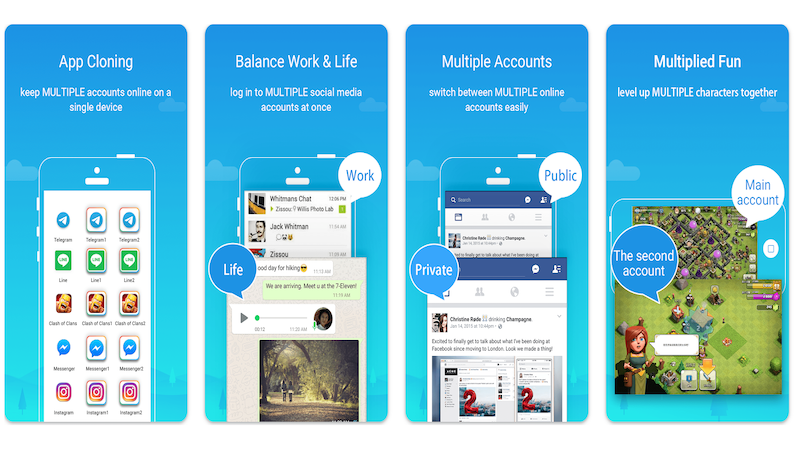
Parallel Space is widely recognized as one of the best app cloner options for Android, especially for users who care about balance rather than extreme customization.
Why users stick with Parallel Space
-
Apps run independently with separate logins
-
Notifications remain predictable
-
Setup is fast and doesn’t require system-level changes
For users managing work accounts, social profiles, or multiple game logins, Parallel Space offers a controlled environment without forcing corporate-style restrictions.
A note on ads and usability
Compared to many free alternatives, Parallel Space keeps ads from dominating the experience. This alone is why many users consider it among the best app cloner for Android without ads options in practical terms.
Dual Space: Simple but limited
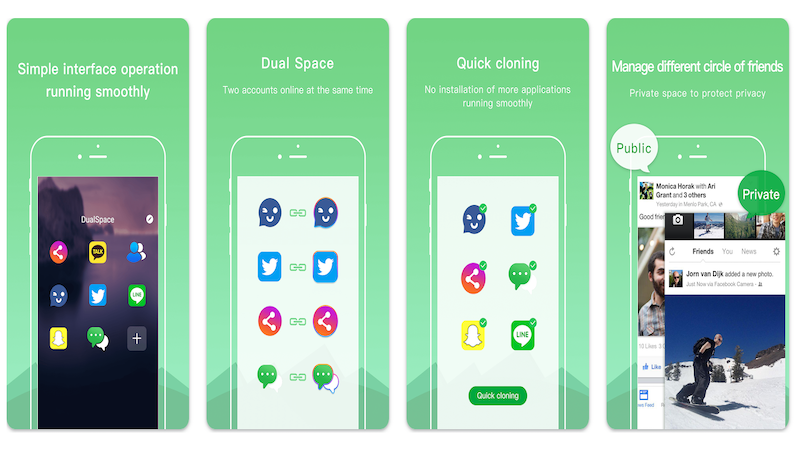
Dual Space is often chosen for quick setups. It works well for one or two cloned apps but may struggle with heavy multitasking or long sessions.
For light use, it’s acceptable. For daily work or gaming, limitations appear quickly.
System work profile tools (Island, OEM features)
Some Android devices support work profiles or third-party tools built on them.
✅ Pros
-
Strong isolation
-
System-level security
⚠️ Cons
-
Slower switching
-
Less personal flexibility
-
Often overkill for non-enterprise users
For individuals, these tools feel more like compliance systems than daily helpers.
Why many best app cloners disappear
A large number of app cloners fail not because of bad ideas, but because:
-
They rely on fragile system tricks
-
They overload monetization
-
They don’t adapt to OS changes
Longevity is an underrated feature—and one reason PS remains relevant.
Practical Tips Before Installing Any App Cloner
Before committing, keep a few things in mind:
-
Check update history
An app cloner that hasn’t been updated in months is a risk.
-
Start small
Clone one app first. Observe notifications, performance, and battery impact.
-
Avoid stacking cloners
Running multiple cloning tools at once often causes conflicts.
Frequently Asked Questions
-
What is the best app cloner for Android?
For steady, everyday use, Parallel Space remains the common pick: it balances reliability, light battery use and a gentle learning curve, so you can duplicate social or gaming apps without hunting for settings.
-
Is there a true app cloner for iPhone?
iOS does not allow full app cloning for personal users. App-based separation tools are usually the most practical alternative for managing multiple accounts.
-
Which is the best app cloner without ads?
Completely ad-free options are rare. However, tools like Parallel Space keep ads minimal enough that they don’t interfere with daily use.
-
Can I use an app cloner for games safely?
Yes, many users manage multiple game accounts through app cloners. Stability and update compatibility are more important than the number of features offered.
-
Do app cloners affect phone performance?
Any cloned app uses additional resources. Choosing a lightweight and well-maintained app cloner helps minimize performance impact.
-
Is Parallel Space free to use?
Parallel Space offers core features for free, with optional upgrades depending on usage needs.
Final Thoughts
The search for the best app cloner is rarely about cloning itself. It’s about control.
Users want to decide when accounts interact, when they stay silent, and how much attention each part of their digital life receives. Tools like Parallel Space don’t promise perfection—but they offer consistency, which matters far more in the long run.
Sometimes, the best solution is simply the one that stays out of your way. 📱✨