Remote work, side hustles, and global collaboration have blurred the line between “work phone” and “personal phone.” For many people, carrying two devices no longer makes sense—but mixing everything on one phone doesn’t either. That’s why more users are actively searching for ways to separate work apps, especially on personal devices.
But separation can mean very different things depending on how you work and what you need. System-level tools, built-in features, and app-based solutions all promise separation—yet only some truly fit real-life use.
This guide breaks down the most practical ways to separate work and personal apps, explains the limits of system tools on Android and iPhone, and shows how Parallel Space fits naturally into this landscape.
Why Separating Work Apps Matters More Than Ever
The modern phone is no longer just personal. It often carries:
-
Work chats and personal messages
-
Client accounts and private logins
-
Business notifications and family calls
Without clear separation, problems appear quickly:
-
Missed messages or constant interruptions
-
Privacy concerns when sharing a phone
-
Mental fatigue from never “logging off”
The goal isn’t just security—it’s control.
What Does “Separate Work Apps” Actually Mean?
Many guides oversimplify this idea. In practice, separation can involve:
-
Running the same app with two different accounts
-
Keeping work data isolated from personal data
-
Turning off work notifications after hours
-
Preventing accidental cross-login
True separation means apps behave as if they live in different spaces—even on the same device.
Separate Work Apps on Personal Phone: Common Approaches
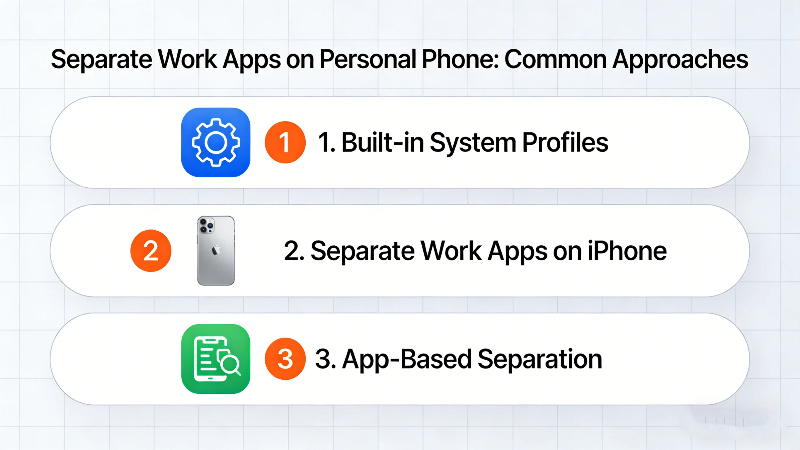
Let’s look at the most common solutions and where they fall short.
-
Built-in System Profiles (Mostly Android)
Some Android devices support system-level profiles designed for work use.
✅ Pros
-
Data isolation
-
OS-level security
⚠️ Cons
-
Often restricted by employers or device brands
-
Limited flexibility for multi-account use
-
Not available on all Android versions
For users who simply want to run two WhatsApp or Slack accounts, this approach often feels heavy and restrictive.
-
Separate Work Apps on iPhone: A Bigger Challenge
Unlike Android, iOS does not offer native app cloning or multiple profiles for personal users.
On iPhone, people often rely on:
-
Logging in and out repeatedly
-
Using web versions of apps
-
Carrying a second phone
None of these truly solve the problem. This is why iPhone users increasingly turn to app-level separation tools that work across platforms when possible.
-
App-Based Separation: The Practical Middle Ground
This is where Parallel Space and similar tools come in.
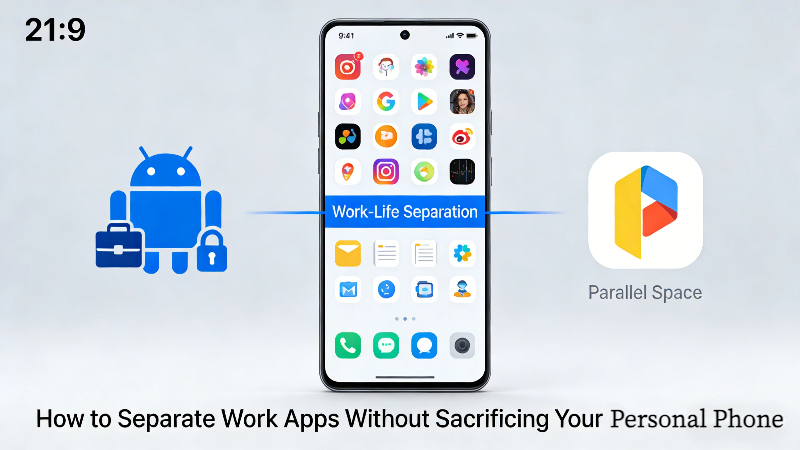
Instead of changing how the system works, PS creates a virtual space where apps can run independently—with separate logins, data, and notifications.
No enterprise setup.
No second device.
And No constant switching.
How Parallel Space Helps Separate Work and Personal Apps
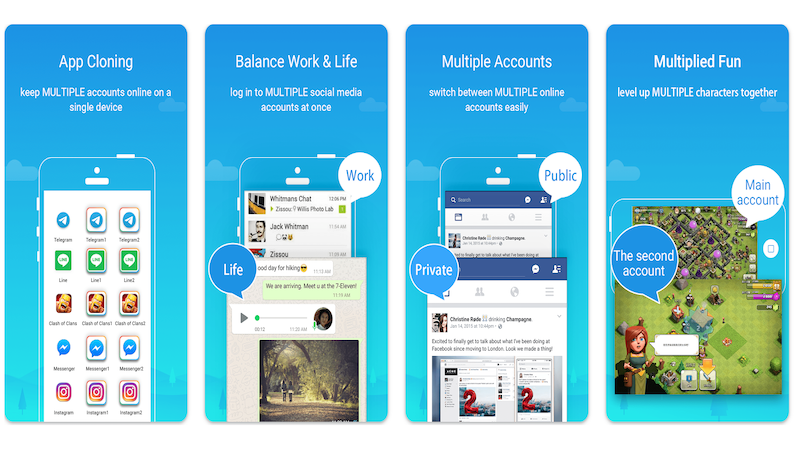
Parallel Space is built specifically for users who want practical separation, not corporate device management.
With PS, you can:
-
Clone work apps on the same phone
-
Log into multiple accounts simultaneously
-
Keep work and personal chats completely separate
-
Control notifications independently
✨ All without modifying your phone system or relying on employer tools.
This makes PS especially useful for:
-
Freelancers
-
Remote employees
-
Small business owners
-
Social media managers
-
Anyone using a personal phone for work
One Phone, Two Roles: A Real-Life Scenario
Imagine this:
-
Your personal WhatsApp stays quiet on weekends
-
Your work WhatsApp lives in a separate space
-
Business emails don’t interrupt family time
-
You can close your “work side” with one tap
This is not just technical separation—it’s mental separation. And that’s what most people are actually searching for.
Is App-Based Separation Safe?
A common concern is privacy.
Parallel Space:
-
Runs apps in isolated environments
-
Keeps account data separate
-
Does not mix personal and work sessions
For most everyday users, this level of separation is more than sufficient—and far more flexible than system-enforced profiles.
How to Choose the Right Way to Separate Work Apps
Ask yourself:
-
Do I need enterprise-level control—or personal flexibility?
-
Am I managing multiple accounts daily?
-
Do I want quick switching or strict lockdown?
If your answers lean toward control, convenience, and adaptability, app-based solutions like Parallel Space are usually the better fit.
Final Thoughts
Trying to separate work apps shouldn’t feel like managing a corporate IT system. For people using one phone for multiple roles, the best solution is often the one that fits daily habits—not company policies.
Parallel Space doesn’t just separate apps. It separates roles, time, and attention—without forcing users to change how they live or work.
Frequently Asked Questions
-
How can I separate work apps on a personal phone?
You can separate work apps by using system-level tools (available on some Android devices) or app-based solutions like Parallel Space, which allow apps to run independently with separate accounts and data.
-
Is it possible to separate work apps on Android without an employer?
Yes. Many Android users choose Parallel Space to separate work apps without enrolling in an enterprise system or using employer-controlled work profiles.
-
How do I separate work apps on iPhone?
iPhones don’t offer a built-in way to duplicate apps. Most people end up logging in and out, or using web versions, which gets old fast. That’s why app-based tools are usually the more workable option for keeping work and personal use apart on iOS.
-
Can I separate work and personal apps without buying a second phone?
Yes. A lot of users do this by running the same app in separate spaces on one device. Parallel Space is commonly used for this, especially when carrying an extra phone isn’t practical.
-
Is Parallel Space better than system work profiles?
For personal, freelance, or small business use, many users find Parallel Space more flexible and easier to manage than system-level work profiles.
-
Will separating work apps improve productivity?
In many cases, yes. Separating work and personal apps helps reduce distractions, protect privacy, and create clearer boundaries between work time and personal time.